Existing tools were complex and disconnected.
Accessibility testing was often overlooked or too complex to implement. While tools like Deque's axe-core provided a foundation, they weren't built for seamless automation. At LambdaTest, the need became even more evident when the company set out to achieve WCAG certification — instead of relying solely on third-party tools, we chose to build an in-house accessibility testing platform.
- Manual & time-consuming — most accessibility checks required separate audits, slowing down releases.
- Lack of integration — existing tools didn't fit naturally into QA workflows or test automation.
- Technical barriers — developers struggled with complex reports, making accessibility fixes harder to implement.
Automated, intuitive, and actionable.
The challenge wasn't just building an accessibility tool — it was ensuring teams actually used it without slowing down their process. Every decision was in service of that.
Leveraged axe-core, but enhanced it
Used Deque's open-source axe-core as a foundation, but improved workflows for better usability and automation.
Integrated into automation flows
A system where QA teams add a simple hook, letting LambdaTest handle accessibility testing in the background.
Prioritized actionability
Structured, easy-to-understand reports that helped teams fix issues fast, not just flag them.
Built a real-time debugging tool
Designed the Accessibility DevTools Chrome Extension, enabling developers to inspect and resolve issues instantly.
Collaborated across teams
Worked closely with engineers, PMs, and accessibility experts to align the tool with real-world development needs.
Speed, intelligence, and simplicity.
Bringing accessibility testing closer to everyday delivery meant every surface — the dashboard, the reports, the browser extension — had to make the next fix obvious, not just the next issue visible.
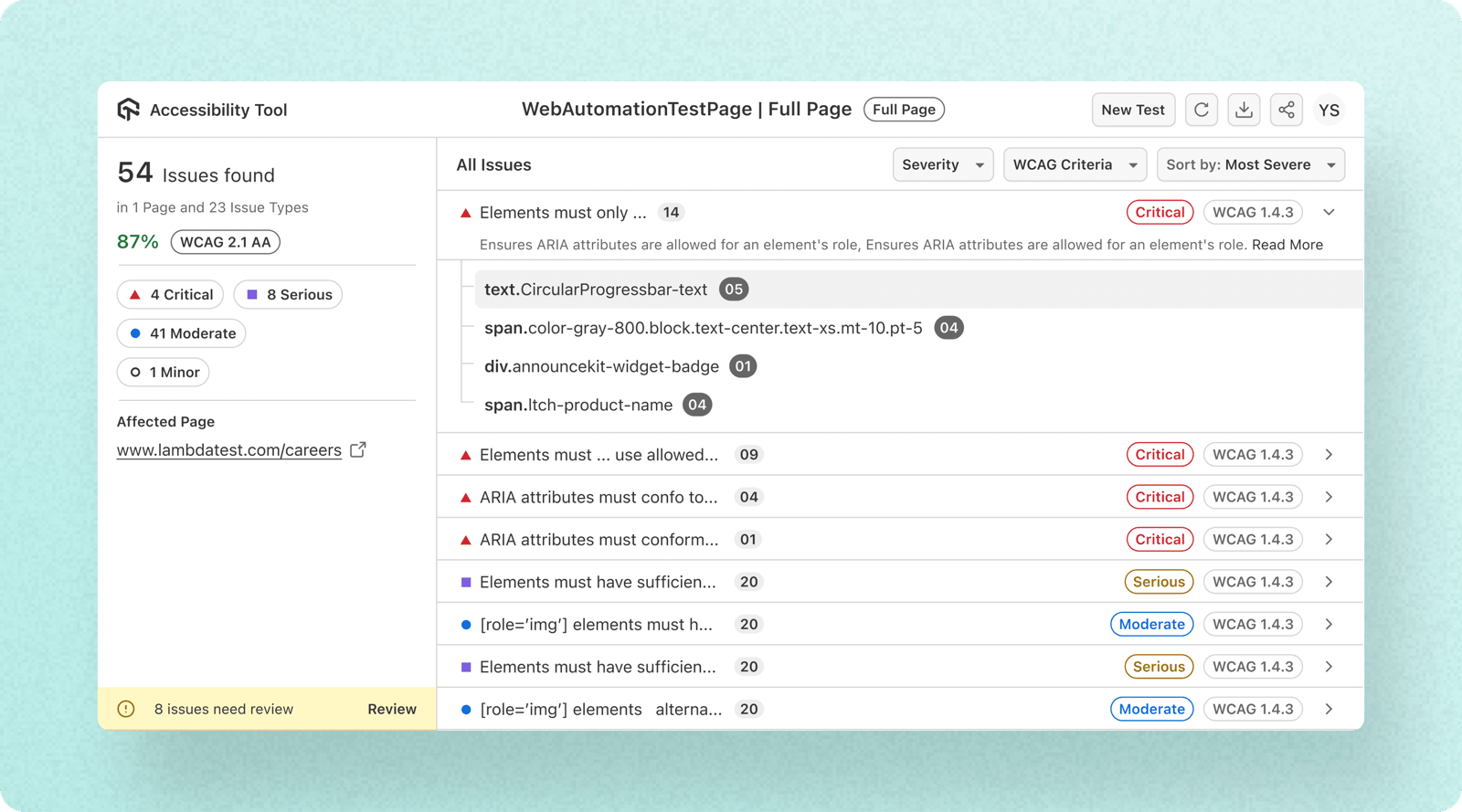
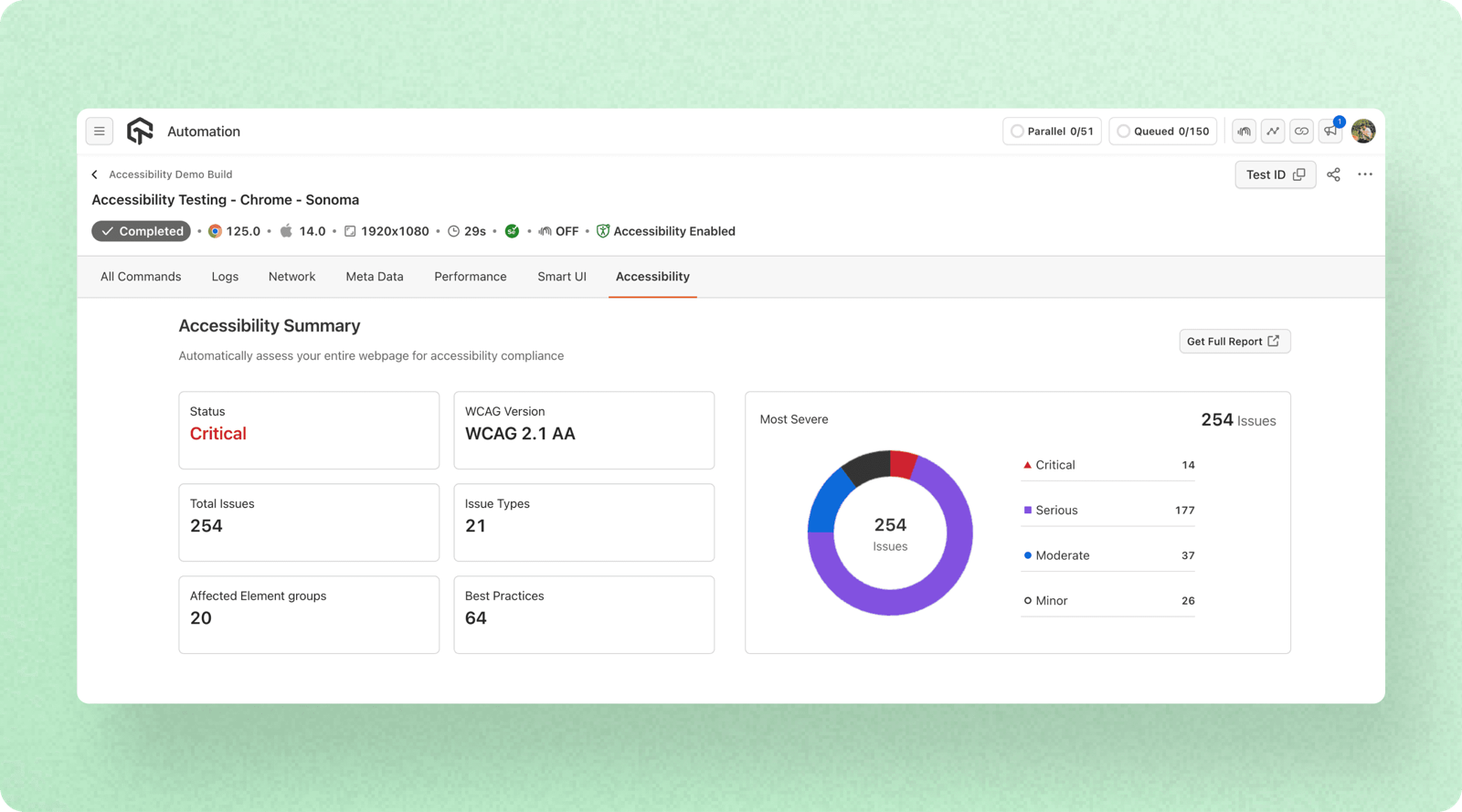
Instantly detect and resolve accessibility errors, ensuring consistent compliance and a frictionless experience. Issues are automatically grouped, classified, and prioritized, so teams focus on high-impact fixes first — not an undifferentiated wall of warnings.
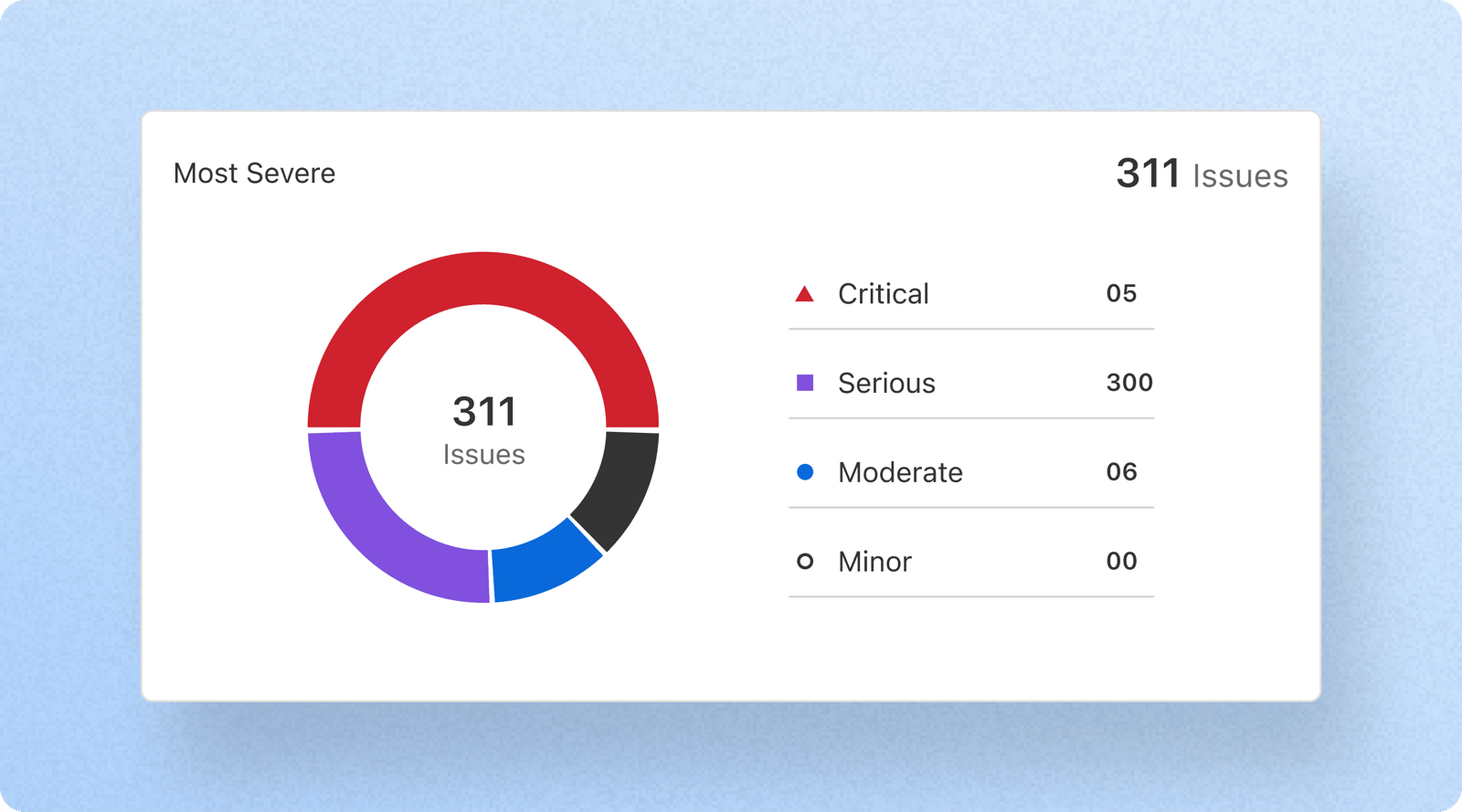
A centralized severity breakdown makes compliance monitoring proactive instead of reactive — teams can see at a glance where the critical issues live before they ever reach a release.
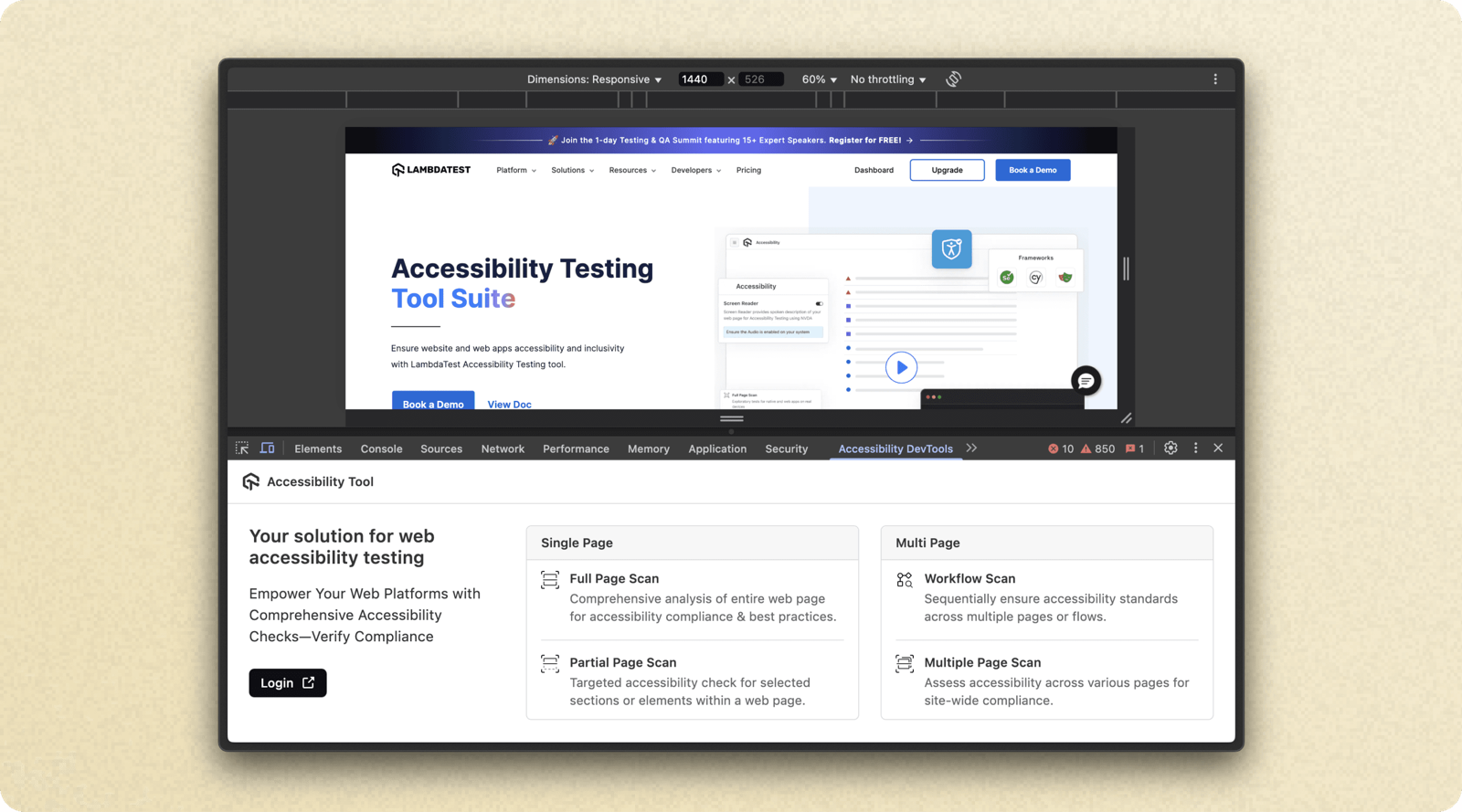
The Accessibility DevTools Chrome Extension brings the same checks directly into the browser — full-page or partial scans, single-page or multi-page, without leaving the developer's normal workflow.
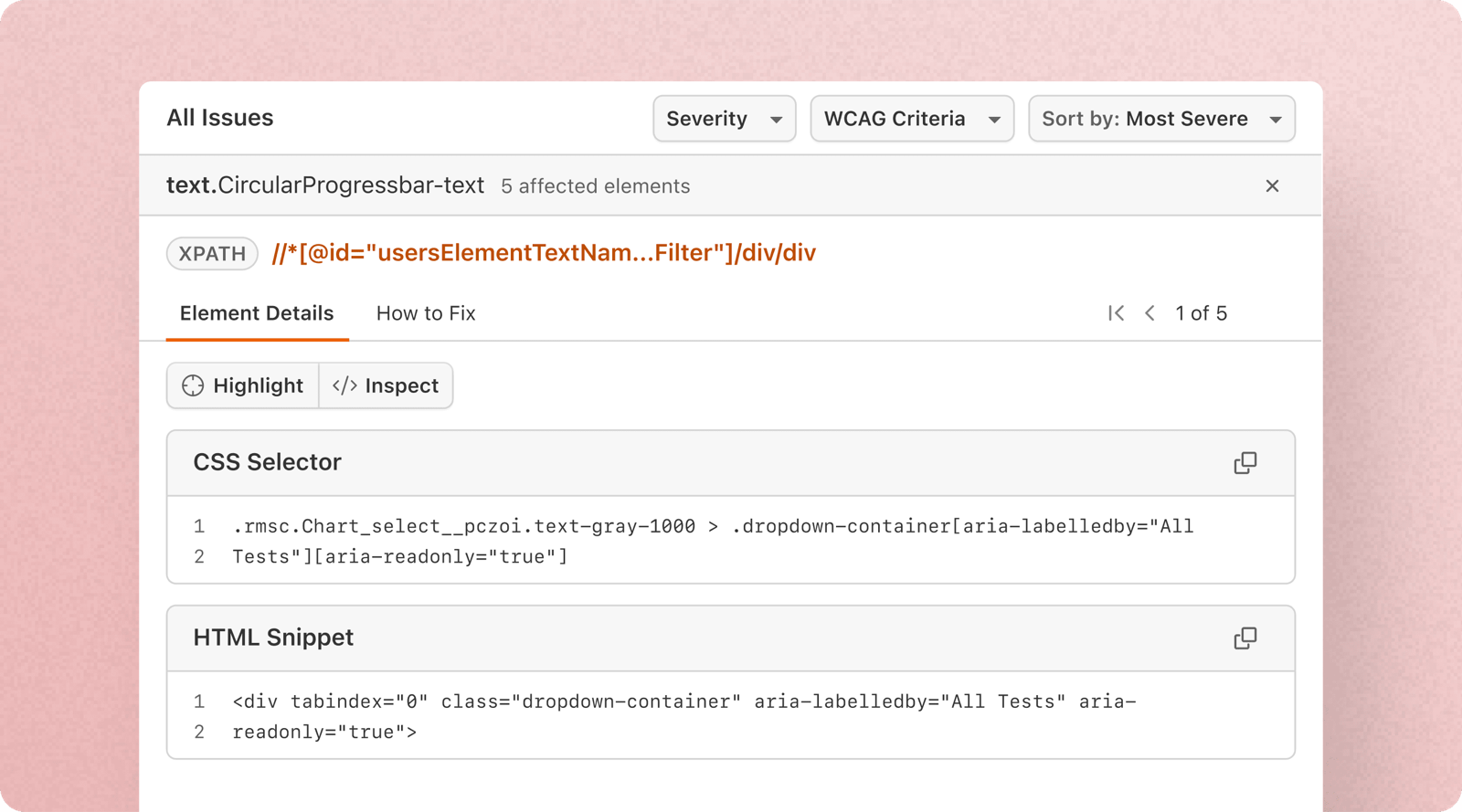
Integrated automated accessibility testing with DOM change detection, duplicate issue identification, and detailed WCAG compliance reports — folded directly into existing automation runs, not a separate step to remember.
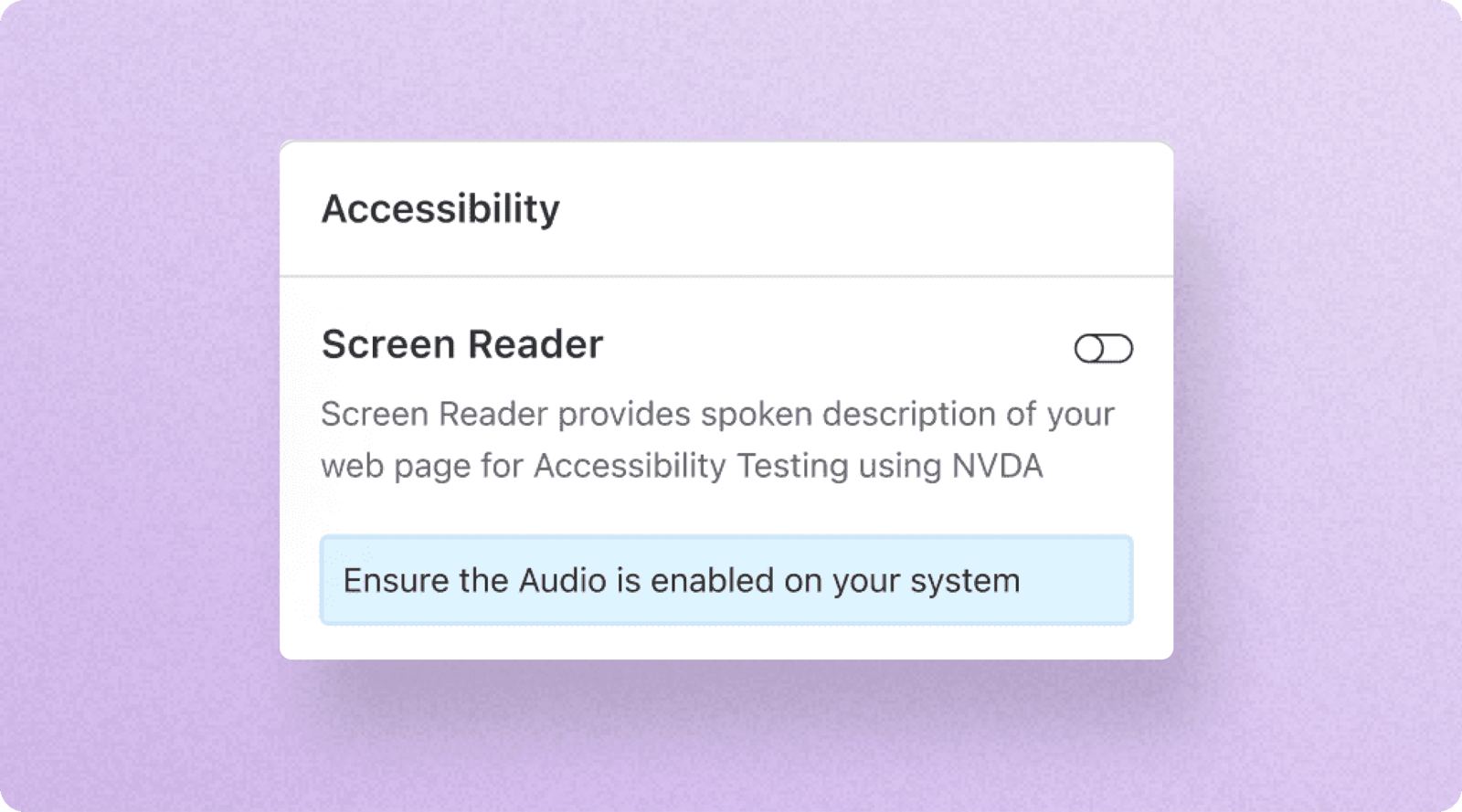
Screen reader support for visually impaired users, with spoken descriptions of the page and a Speech Viewer to convert audio output into text — fully compatible with NVDA on Windows and macOS.
Seamless adoption, inclusive by default.
LambdaTest's Accessibility Testing redefined how teams approach accessibility — turning compliance from a complex, manual process into an automated, seamless workflow. By embedding accessibility into every stage of development, it became a built-in part of testing, not a last-minute fix.
- Adopted effortlessly — teams integrated accessibility testing into their existing QA and development workflows with minimal effort.
- Faster compliance — automated checks and real-time issue detection reduced time spent on accessibility fixes.
- More inclusive products — developers, testers, and PMs could proactively identify and resolve issues before release, for a better experience for all users.
Compliance stopped being a last-minute fix and became a built-in part of testing — for everyone on the team, not just accessibility specialists.